本页面尚未提供您的语言版本,显示其他语言版本。

Boards

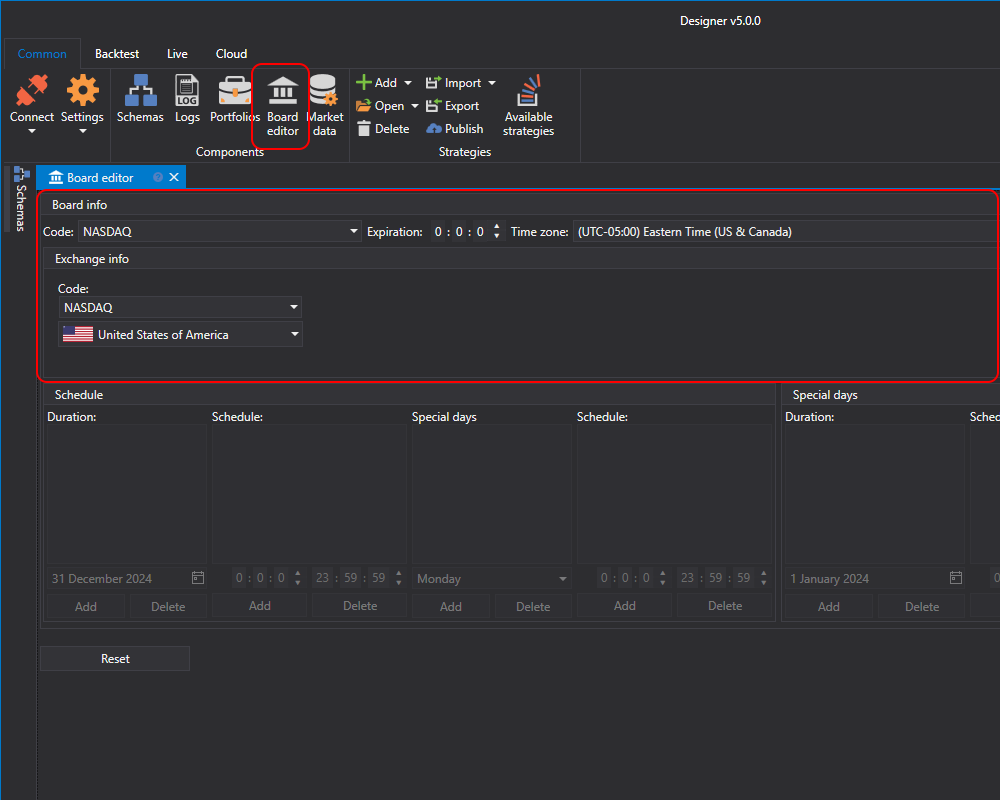
In the Board editor panel, you can create Boards and Exchanges, and view or customize existing ones.

Designer Boards

In S#, instruments from different sources use a unified identifier consisting of the instrument code and the board code. The syntax is [instrument code]@[board code]. For example, for AAPL shares of the NASDAQ exchange, the identifier is AAPL@NASDAQ. Each instrument is attached to a specific board on which it is traded. However, the instrument can be traded on different boards. In this case, the board codes will be different. For each board, you can set up a work schedule with working days and weekends.

The exchange may have several boards with different terms of trade (session time, commission, etc.). But each board is attached to a specific exchange. Therefore, in the Board editor, when you select a board, the information about the exchange will automatically change to the exchange on which the board is located. For each exchange, you can set the exchange's code, country, Russian-language and English-language names.