本页面尚未提供您的语言版本,显示其他语言版本。
Instruments list
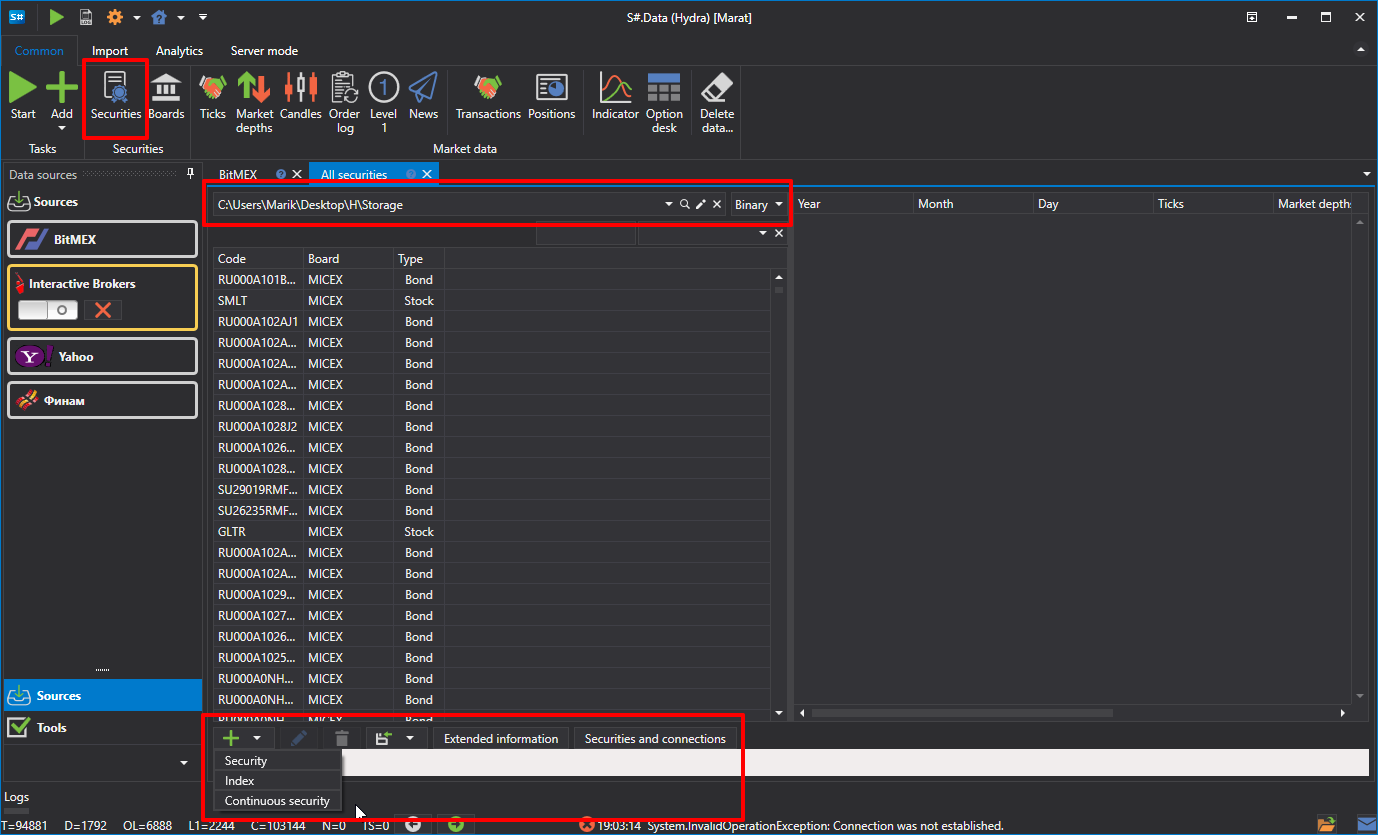
If you click the Instruments button on the General tab, the Instruments panel appears. The Instruments panel displays all available instruments, as well as the market data for them.

At the bottom of the Instruments panel are buttons that allow you to:
- Add a new instrument, as described in the clause Create instrument.
- Add a new index, as described in the clause Index.
- Add a new continuous instrument, as described in the clause Continuous futures.
- Change the instrument or group of instruments, as described in the clause Editing instruments.
- Specify additional information about the instrument, as described in the clause Extended instrument info.
- Match the instruments and connections, as described in clause Matching instruments-connections.