
基本属性与高级属性
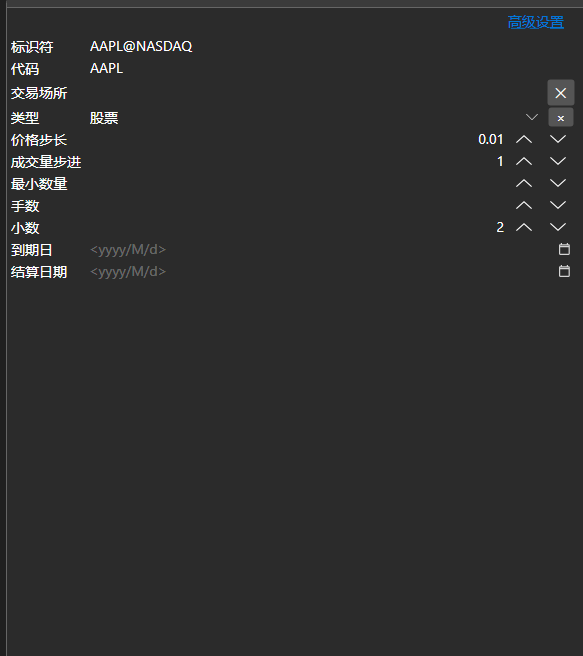
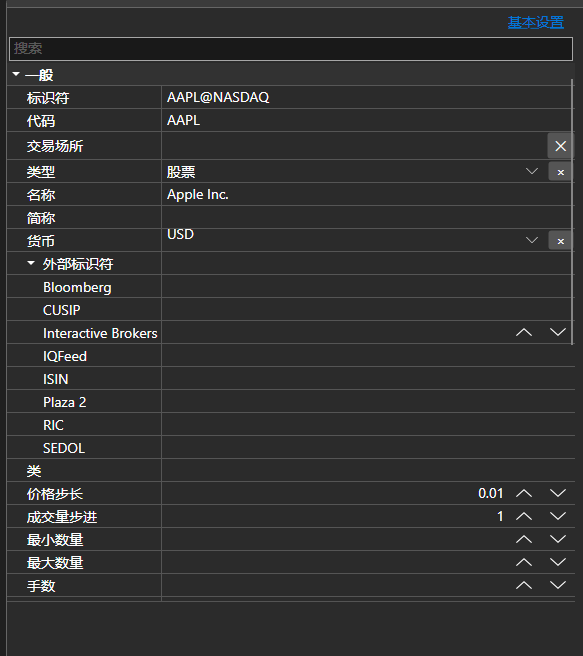
BasicAdvPropertiesPanel - 带两种模式的属性面板。基本模式只显示必填字段的简短列表,高级模式按类别显示对象的全部属性。
主要属性
- BasicAdvPropertiesPanel.SelectedObject - 正在编辑的对象。
- BasicAdvPropertiesPanel.IsAdvancedMode - 是否处于高级模式。
- BasicAdvPropertiesPanel.PlainMaxDepth - 基本模式下嵌套属性的展开深度。
- BasicAdvPropertiesPanel.PostImmediately - 输入时立即应用取值,而不等待离开该字段。
两种模式解决了连接器设置的常见问题:必填字段只有三四个,而属性总数有几十个。基本模式只显示连接所必需的内容,其余仍可在高级模式中访问。
下面是其使用的代码片段:
<Window x:Class="Sample.SettingsWindow"
	xmlns="http://schemas.microsoft.com/winfx/2006/xaml/presentation"
	xmlns:x="http://schemas.microsoft.com/winfx/2006/xaml"
	xmlns:pg="clr-namespace:StockSharp.Xaml.PropertyGrid;assembly=StockSharp.Xaml"
	Height="500" Width="400">
	<pg:BasicAdvPropertiesPanel x:Name="PropertiesPanel" />
</Window>
// 显示适配器的属性
PropertiesPanel.SelectedObject = _adapter;

// 切换到高级模式
PropertiesPanel.IsAdvancedMode = true;

// 标记设置已被修改
PropertiesPanel.CellValueChanged += (sender, e) => _isModified = true;