
Basic and advanced properties
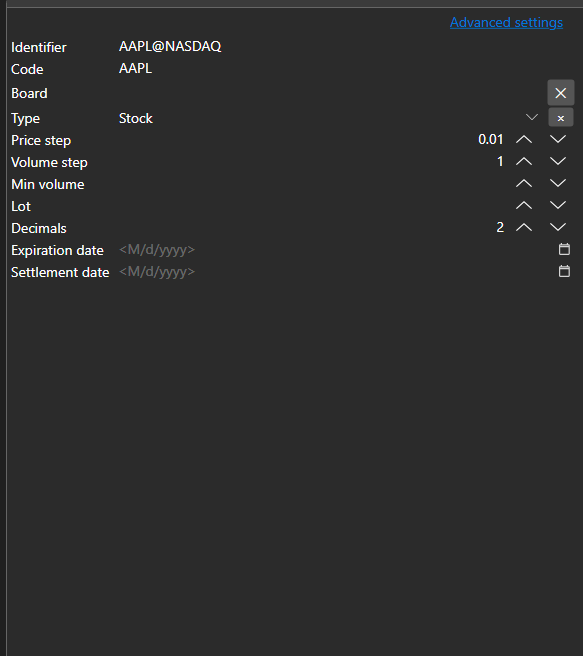
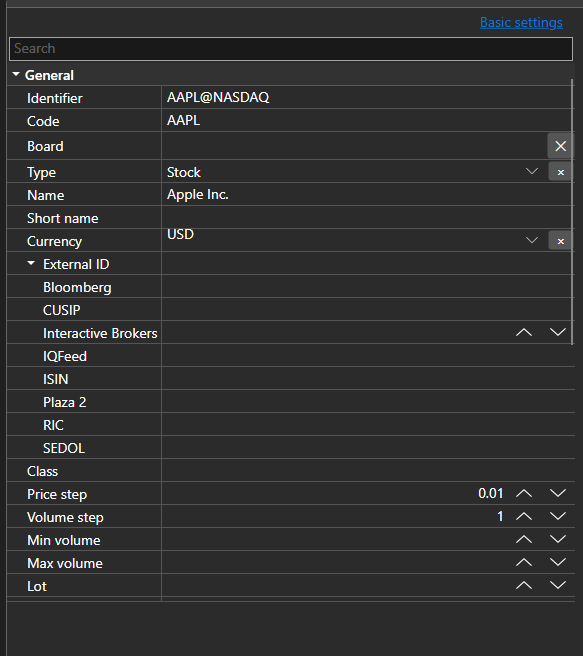
BasicAdvPropertiesPanel - a property panel with two modes. The basic mode shows a short list of required fields, the advanced one shows all properties of the object grouped by categories.
Main properties
- BasicAdvPropertiesPanel.SelectedObject - edited object.
- BasicAdvPropertiesPanel.IsAdvancedMode - advanced mode flag.
- BasicAdvPropertiesPanel.PlainMaxDepth - expansion depth of nested properties in the basic mode.
- BasicAdvPropertiesPanel.PostImmediately - apply the value while typing instead of waiting for the focus to leave the field.
The two modes solve the usual problem of connector settings: there are three or four required fields and several dozen properties in total. The basic mode shows only what the connection cannot work without; everything else stays available in the advanced mode.
Below are code snippets showing its usage:
<Window x:Class="Sample.SettingsWindow"
	xmlns="http://schemas.microsoft.com/winfx/2006/xaml/presentation"
	xmlns:x="http://schemas.microsoft.com/winfx/2006/xaml"
	xmlns:pg="clr-namespace:StockSharp.Xaml.PropertyGrid;assembly=StockSharp.Xaml"
	Height="500" Width="400">
	<pg:BasicAdvPropertiesPanel x:Name="PropertiesPanel" />
</Window>
// Show the adapter properties
PropertiesPanel.SelectedObject = _adapter;

// Switch to the advanced mode
PropertiesPanel.IsAdvancedMode = true;

// Mark the settings as changed
PropertiesPanel.CellValueChanged += (sender, e) => _isModified = true;