
代码编辑器
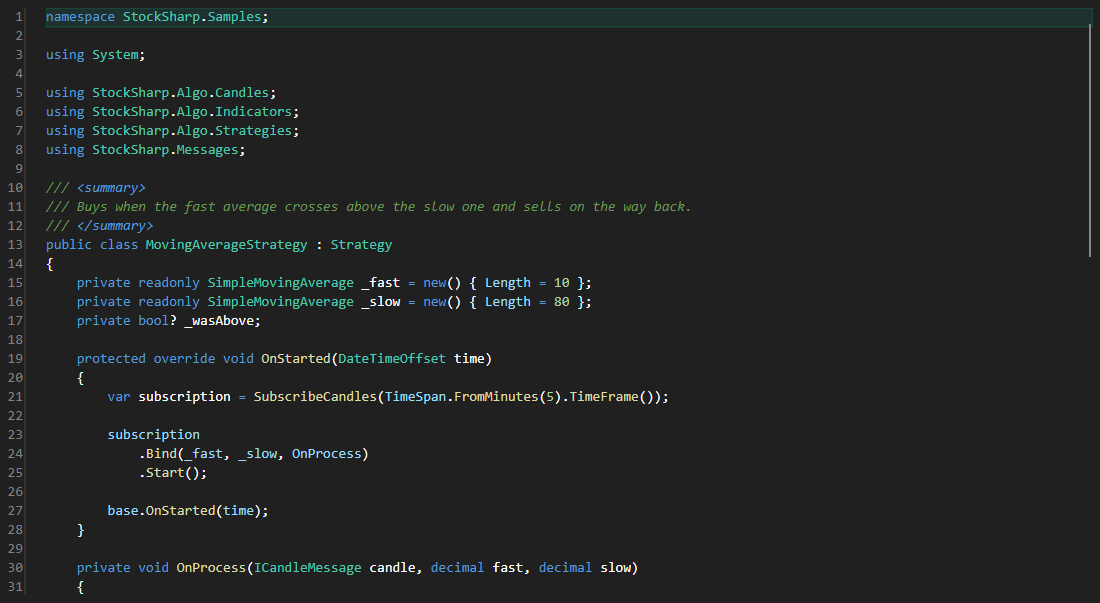
CodePanel - 带语法高亮、行号、自动完成和编译工具栏的源代码编辑器。凡是在应用内部编辑代码的场景都会用到它:策略、指标和脚本。
主要属性
- CodePanel.Code - 正在编辑的代码及其编译状态。
- CodePanel.ReadOnly - 禁止修改文本。
- CodePanel.ShowToolBar - 是否显示工具栏。
- CodePanel.AutoCompile - 编辑后自动编译。
编辑器本身不显示编译错误,通常在旁边放置 ErrorsGrid 表格来显示,并通过双击跳转到对应行。
下面是其使用的代码片段:
<Window x:Class="Sample.CodeWindow"
	xmlns="http://schemas.microsoft.com/winfx/2006/xaml/presentation"
	xmlns:x="http://schemas.microsoft.com/winfx/2006/xaml"
	xmlns:code="clr-namespace:StockSharp.Xaml.CodeEditor;assembly=StockSharp.Xaml.CodeEditor"
	Height="600" Width="900">
	<code:CodePanel x:Name="CodePanel" ShowToolBar="True" />
</Window>
// 把源代码加载到编辑器
CodePanel.Code = new CodeInfo
{
	Text = File.ReadAllText("MyStrategy.cs"),
};

// 编译后把错误输出到单独的表格
CodePanel.CompiledCode += () => ErrorsGrid.Errors.AddRange(CodePanel.Code.Errors);

// 只查看不编辑
CodePanel.ReadOnly = true;