
Code editor
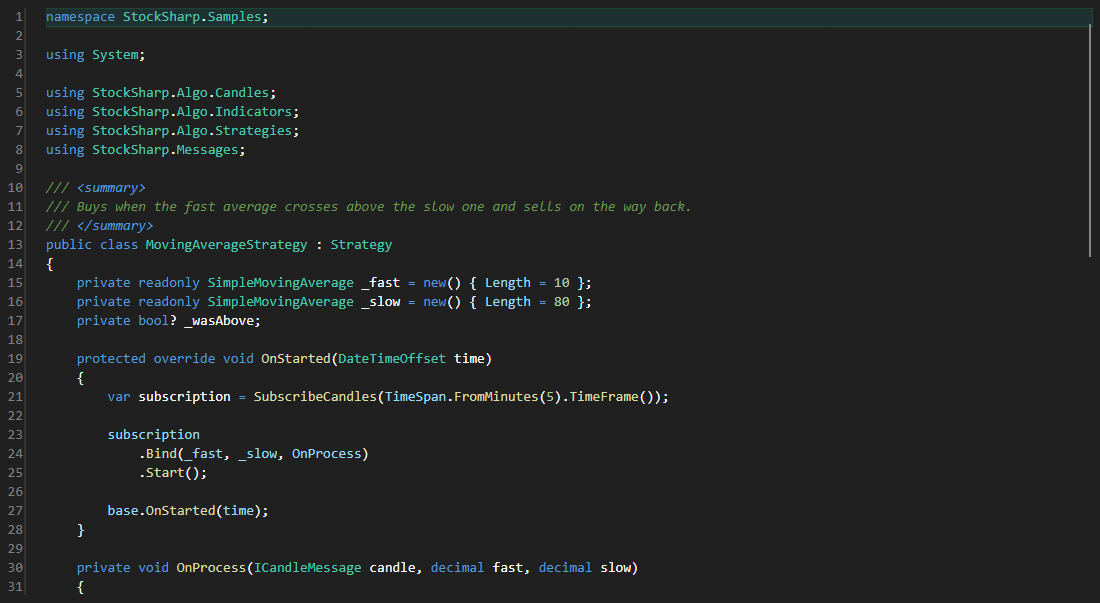
CodePanel - a source code editor with syntax highlighting, line numbers, completion and a compilation toolbar. It is used everywhere code is edited inside the application - in strategies, indicators and scripts.
Main properties
- CodePanel.Code - the edited code and its compilation state.
- CodePanel.ReadOnly - prohibition to change the text.
- CodePanel.ShowToolBar - toolbar visibility.
- CodePanel.AutoCompile - automatic compilation after an edit.
The editor does not show compilation errors itself - it is convenient to show them next to it in the ErrorsGrid table and jump to the line on a double click.
Below are code snippets showing its usage:
<Window x:Class="Sample.CodeWindow"
	xmlns="http://schemas.microsoft.com/winfx/2006/xaml/presentation"
	xmlns:x="http://schemas.microsoft.com/winfx/2006/xaml"
	xmlns:code="clr-namespace:StockSharp.Xaml.CodeEditor;assembly=StockSharp.Xaml.CodeEditor"
	Height="600" Width="900">
	<code:CodePanel x:Name="CodePanel" ShowToolBar="True" />
</Window>
// Load the source text into the editor
CodePanel.Code = new CodeInfo
{
	Text = File.ReadAllText("MyStrategy.cs"),
};

// After compilation show the errors in a separate table
CodePanel.CompiledCode += () => ErrorsGrid.Errors.AddRange(CodePanel.Code.Errors);

// View without editing
CodePanel.ReadOnly = true;