
存储设置
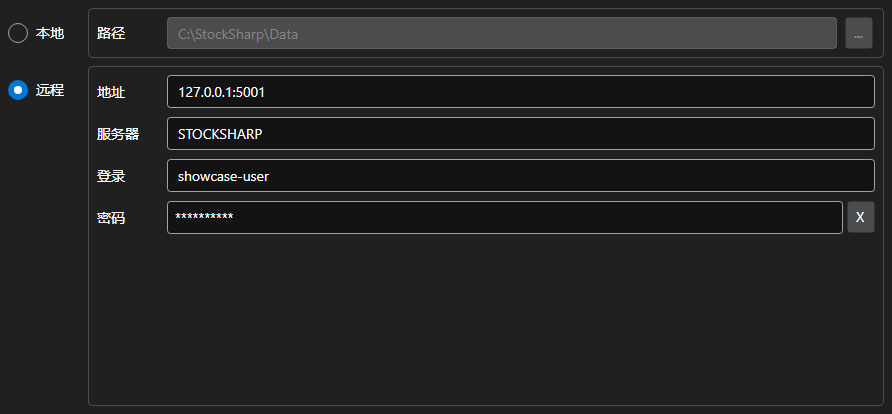
StorageSettingsPanel - 用于选择行情数据存储位置的面板。可在本地目录与远程服务器之间切换,并设置所选方式的参数。
主要属性
- StorageSettingsPanel.IsLocal - 是否使用本地存储。
- StorageSettingsPanel.Path - 本地存储的目录路径。
- StorageSettingsPanel.Address - 远程服务器地址。
- StorageSettingsPanel.Login - 远程服务器的用户名。
- StorageSettingsPanel.IsCredentialsEnabled - 登录名和密码字段是否可用。
任何修改都会触发 SettingsChanged 事件,应用程序据此重新创建 IMarketDataDrive。
下面是其使用的代码片段:
<Window x:Class="Sample.StorageWindow"
	xmlns="http://schemas.microsoft.com/winfx/2006/xaml/presentation"
	xmlns:x="http://schemas.microsoft.com/winfx/2006/xaml"
	xmlns:xaml="http://schemas.stocksharp.com/xaml"
	Height="300" Width="500">
	<xaml:StorageSettingsPanel x:Name="StoragePanel" />
</Window>
// 选择本地目录
StoragePanel.IsLocal = true;
StoragePanel.Path = @"C:\Data";

// 标记设置已被修改
StoragePanel.SettingsChanged += () => _isModified = true;

// 根据面板设置创建存储
var drive = StoragePanel.IsLocal
	? new LocalMarketDataDrive(StoragePanel.Path)
	: (IMarketDataDrive)new RemoteMarketDataDrive(StoragePanel.Address.To<EndPoint>());