本页面尚未提供您的语言版本,显示其他语言版本。

Commissions

In the Backtesting settings panel, you can set the commission monitoring settings.

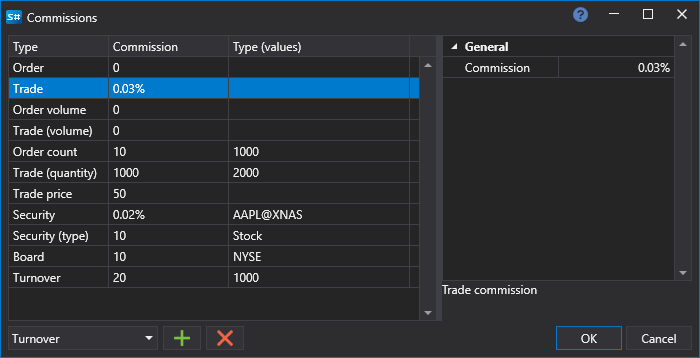
In the Commissions window, you should select the type of commission, set the commission value and the condition under which the commission will be charged.

Designer Commission Rule

List of commission types

List of commission types

  • Orders (number) – the commission for the number of orders.
  • Order – the commission for the order.
  • Order (volume) – the commission for the volume in the order.
  • Trade (number) – the commission for the number of trades.
  • Trade (price) – the commission for the trade price.
  • Trade – the commission for the trade.
  • Trade (volume) – the commission for the volume in the order.
  • Security – the instrument commission.
  • Security (type) – the instrument type commission.
  • Turnover – the commission for turnover.
  • Board – the board commission.