
日志面板
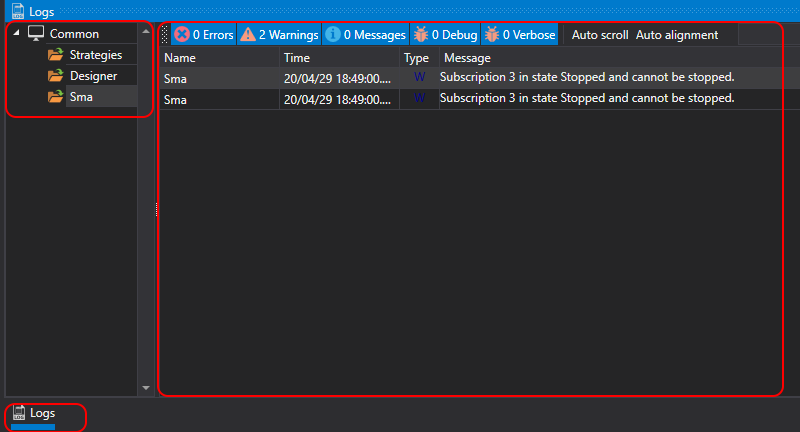
为了便于监控程序运行,Designer 提供了专用的 日志 面板。该面板显示来自所有数据源、策略和连接的消息。在 日志 面板中,数据源的嵌套关系以树形结构显示。每个父节点都包含其所有下级数据源的消息,依此类推,直到最底层。对于策略,此层级结构还可以显示子策略。要打开 日志 面板,请在 常规 选项卡中单击 日志 按钮。
为了便于监控程序运行,Designer 提供了专用的 日志 面板。该面板显示来自所有数据源、策略和连接的消息。在 日志 面板中,数据源的嵌套关系以树形结构显示。每个父节点都包含其所有下级数据源的消息,依此类推,直到最底层。对于策略,此层级结构还可以显示子策略。要打开 日志 面板,请在 常规 选项卡中单击 日志 按钮。