
Main menu
Below the window title of Terminal is the menu bar: Connect, Settings, View, Tools and Help. At the end of the bar is the Connect button: it connects Terminal to all configured connections, and while the connection is established, it is named Disconnect. While Terminal is connected, the connection and emulator settings are unavailable.
In the window title, next to the minimize and close buttons, are the buttons for changing the theme, help, Report a problem and Contact us.
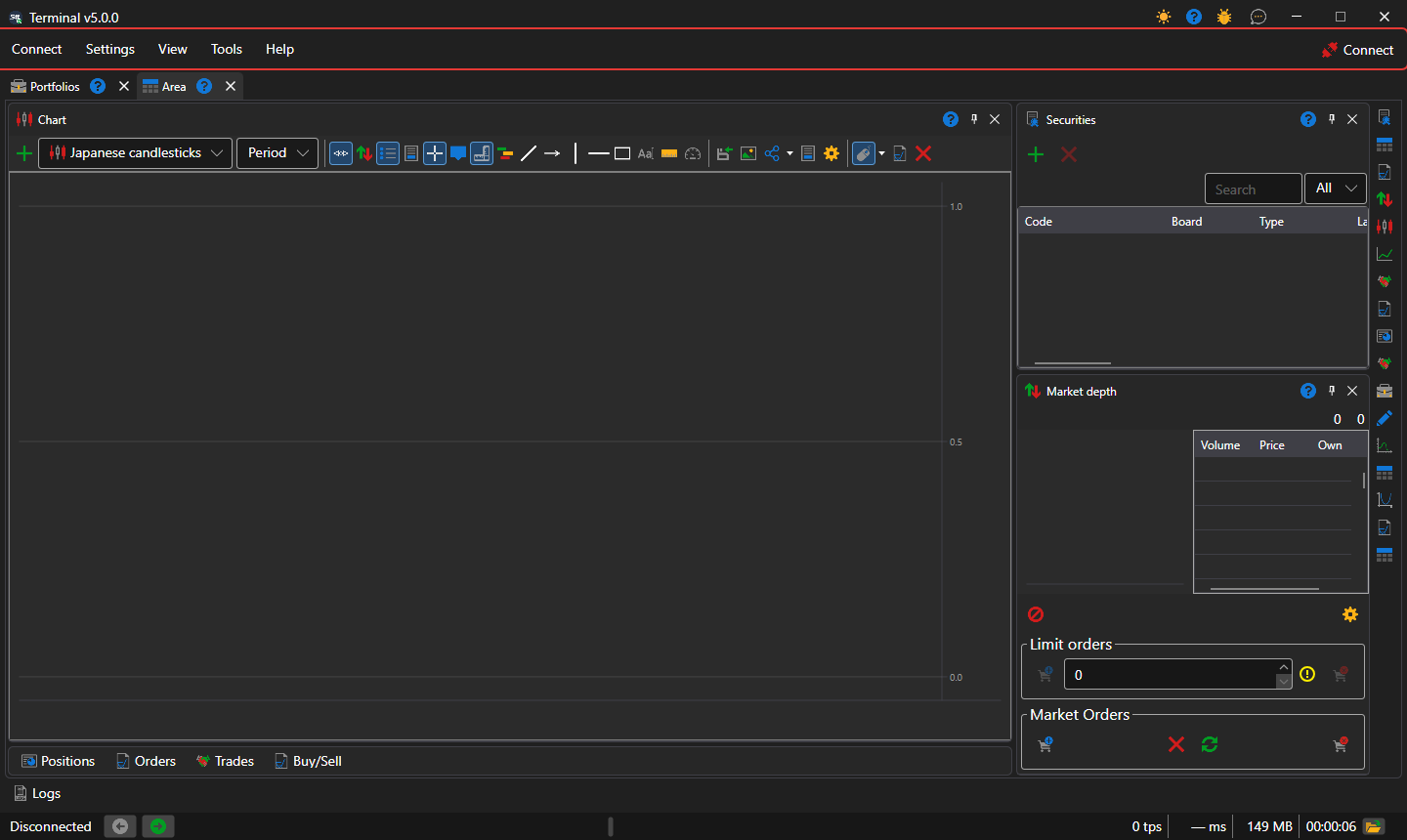
Menu items
- Connect — connecting and disconnecting, connection settings and the settings of the emulator, which executes orders on real market data without sending them to the venue.
- Settings — the general settings of the program; Save layout... and Reset layout, which returns the panels to their original places; reset settings; the Securities and connections and Portfolios and connections windows, in which an instrument or a portfolio is assigned the connection through which it is traded.
- View — a new workspace (Area) and renaming the current one (Rename); the panels of the whole window: Logs, Portfolios, Board editor, Market data, News, Risks; changing the theme.
- Tools — Create new security, New index instrument made of several instruments and Continuous security made of futures with different expirations; the created instrument appears at once in the Instruments of the open area.
- Help — Documentation, Bug report, contacting the StockSharp team and the About window.
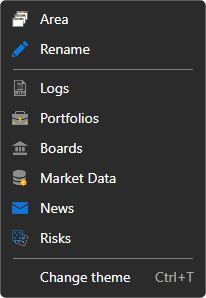
Hotkeys
| Keys | Action |
|---|---|
| F5 | connect or disconnect |
| Ctrl+, | connection settings |
| Ctrl+S | save the layout |
| Ctrl+T | change the theme |
| F1 | open the help |
| Alt+C, Alt+S, Alt+V, Alt+T, Alt+H | open the Connect, Settings, View, Tools, Help menu |
| F9 | buy at market in the active Buy/Sell ticket |
| F10 | sell at market in the active ticket |
| Esc | cancel all orders of the active ticket |
The active ticket is the ticket of the Buy/Sell panel of the workspace that is open now. The F9, F10 and Esc keys do not work while the cursor is in an input field.
Warning
F9 and F10 send real market orders to the venue without confirmation.