
General settings
The Settings window is opened with the Settings → Settings item of the main menu. Its settings are divided into groups:
- Appearance:
- Dark — the dark theme; the button in the window title switches it as well;
- Time Zone — the time zone in which the market data time is shown;
- Language — the program language.
- General:
- Dialogs — show a window with an error that the program has not handled itself. If the check box is cleared, such an error is only written to the log.
- Notification — which order and connection events to report and in which way, as well as the Telegram channel for such messages. See the Notifications section for details.
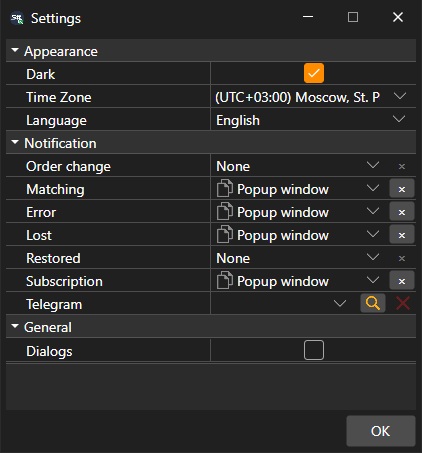
The theme changes right after clicking OK. The language and the time zone take effect after a restart, so Terminal asks whether to restart now.