StockSharp STOCKSHARPDocumentation
English EN
  • EnglishEnglish
  • РусскийРусский
  • 中文中文
  • DeutschDeutsch
  • EspañolEspañol
  • 日本語日本語
  • PortuguêsPortuguês
  • Tutorial
    • Installer
    • Designer
    • Terminal
    • Hydra
      • Videos
      • Installing Hydra
      • Update to the new version
      • First start
      • User interface
      • Data sources
      • Prepare for download
      • Working with data
        • View and export
          • Ticks
          • Order books
          • Candles
          • Order log
          • Level 1
          • News
          • Transactions
          • Option desk
          • Indicators
          • Positions
        • Chart
        • Candles generation
        • Export data
        • Any market data types
      • Indicators
      • Importing
      • Server mode
      • Instruments and boards
      • Tasks
      • Analytics
      • Misc
      • Create new source
      • Create new task
    • Hydra server
    • Telegram services
    • Runner
    • API
    • Shell
    • Store
    • MATLAB
    • UDP Dumper
    • Connecting AI agents (MCP)
    • Common
  • Strategy examples
  • Designer schemas
  • Designer lessons
  • Class list

No matches

Home / Tutorial / Hydra / Working with data / View and export / Positions

Positions

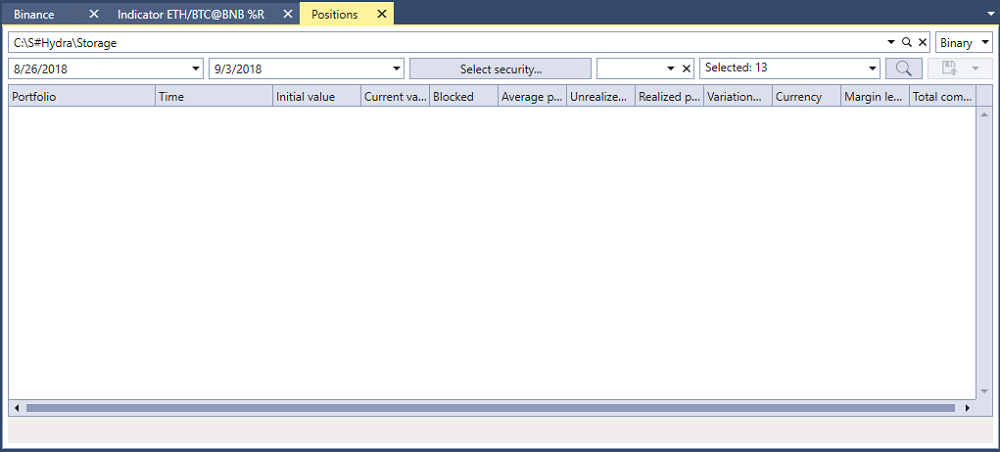
In the window that appears, select the securities, the required time interval and click the hydra find button:

hydra export position

The Fields list sets which position values are shown in the table and included in the export.

The received values can be exported to the required format.

← Previous Indicators Next → Chart
S#
STOCKSHARP

Trading platform documentation: connectors, strategies, Designer, Hydra and the StockSharp API.

© 2026 StockSharp. All rights reserved.

Documentation

  • Designer
  • Hydra
  • Installer
  • API

StockSharp

  • Website
  • Store
  • GitHub
  • Community chat

Resources

  • Home
  • Sitemap
  • Offline PDF