
StockSharp STOCKSHARPDocumentation
English EN
  • EnglishEnglish
  • РусскийРусский
  • 中文中文
  • DeutschDeutsch
  • EspañolEspañol
  • 日本語日本語
  • PortuguêsPortuguês
  • Tutorial
    • Installer
    • Designer
    • Terminal
    • Hydra
      • Videos
      • Installing Hydra
      • Update to the new version
      • First start
      • User interface
      • Data sources
      • Prepare for download
      • Working with data
      • Indicators
      • Importing
        • Candles
        • Instruments
        • Ticks
        • Order books
        • Order log
        • Level 1
        • News
        • Transactions
      • Server mode
      • Instruments and boards
      • Tasks
      • Analytics
      • Misc
      • Create new source
      • Create new task
    • Hydra server
    • Telegram services
    • Runner
    • API
    • Shell
    • Store
    • MATLAB
    • UDP Dumper
    • Connecting AI agents (MCP)
    • Common
  • Strategy examples
  • Designer schemas
  • Designer lessons
  • Class list

No matches

Home / Tutorial / Hydra / Importing

Importing

Hydra allows you to import your own data saved in the .csv format. To import, open the Import menu, and select the type of exchange data that you want to import.
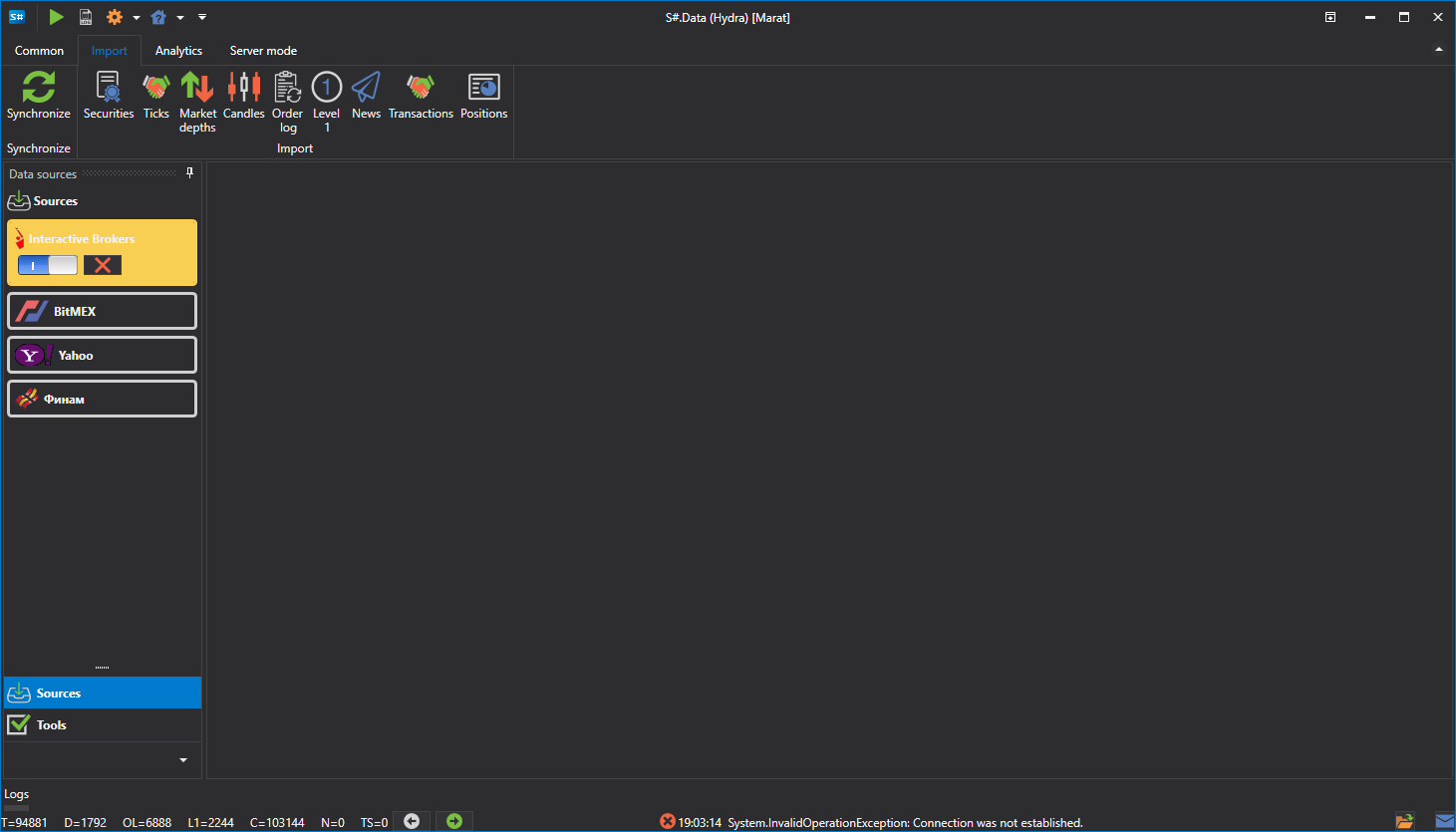
hydra import menu

The following types can be imported:

  • Candles
  • Securities
  • Trades
  • Order books
  • Order log
  • Level 1
  • News
  • Own transactions

Watch video tutorial

← Previous Indicators Next → Candles
S#
STOCKSHARP

Trading platform documentation: connectors, strategies, Designer, Hydra and the StockSharp API.

© 2026 StockSharp. All rights reserved.

Documentation

  • Designer
  • Hydra
  • Installer
  • API

StockSharp

  • Website
  • Store
  • GitHub
  • Community chat

Resources

  • Home
  • Sitemap
  • Offline PDF