StockSharp STOCKSHARPDocumentation
English EN
  • EnglishEnglish
  • РусскийРусский
  • 中文中文
  • DeutschDeutsch
  • EspañolEspañol
  • 日本語日本語
  • PortuguêsPortuguês
  • Tutorial
    • Installer
    • Designer
    • Terminal
    • Hydra
      • Videos
      • Installing Hydra
      • Update to the new version
      • First start
      • User interface
      • Data sources
      • Prepare for download
      • Working with data
      • Indicators
      • Importing
        • Candles
        • Instruments
        • Ticks
        • Order books
        • Order log
        • Level 1
        • News
        • Transactions
      • Server mode
      • Instruments and boards
      • Tasks
      • Analytics
      • Misc
      • Create new source
      • Create new task
    • Hydra server
    • Telegram services
    • Runner
    • API
    • Shell
    • Store
    • MATLAB
    • UDP Dumper
    • Connecting AI agents (MCP)
    • Common
  • Strategy examples
  • Designer schemas
  • Designer lessons
  • Class list

No matches

Home / Tutorial / Hydra / Importing / News

News

To import news, select Import => News from the main application menu.
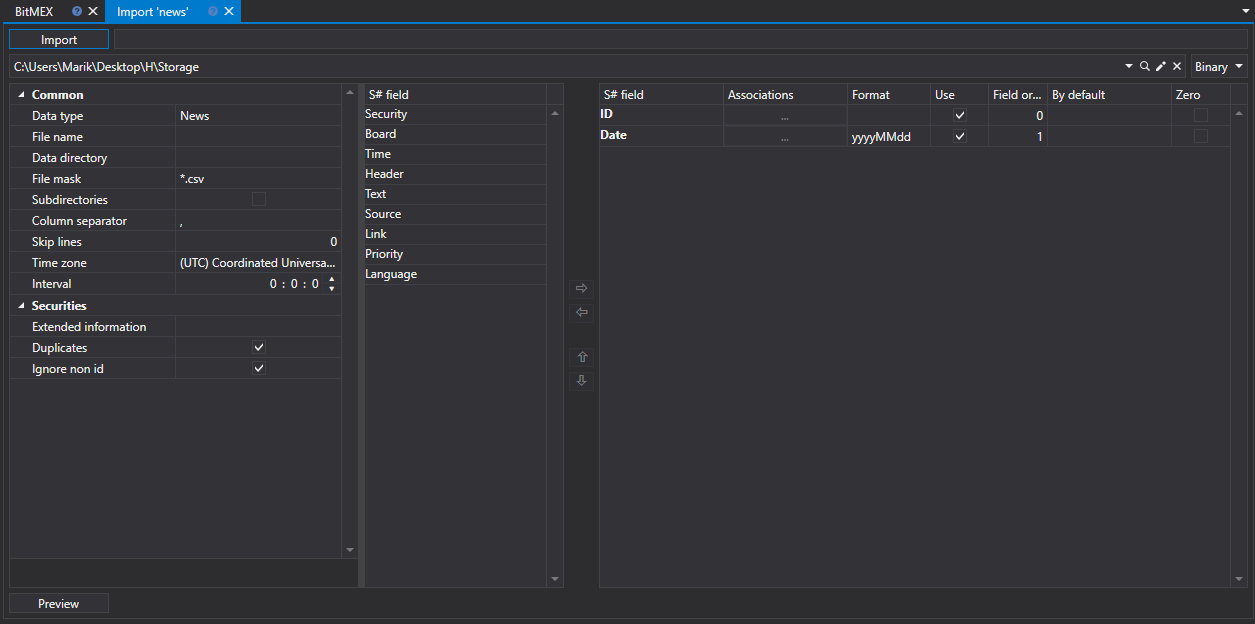
hydra import news

News import process

  1. Execute CSV Import Settings.

    See Candles import.

  2. Configure import parameters for S# fields.

    See Candles import.

  3. To preview the data, click the Preview button

  4. Click the Import button.

← Previous Level 1 Next → Transactions

In this article

  • News import process
S#
STOCKSHARP

Trading platform documentation: connectors, strategies, Designer, Hydra and the StockSharp API.

© 2026 StockSharp. All rights reserved.

Documentation

  • Designer
  • Hydra
  • Installer
  • API

StockSharp

  • Website
  • Store
  • GitHub
  • Community chat

Resources

  • Home
  • Sitemap
  • Offline PDF
