
Quick start
Shell is source code in C# that is opened in Visual Studio, Rider or any other environment and started as a regular application:
dotnet run --project Shell.Avalonia/Shell.Avalonia/Shell.Avalonia.csproj
No preliminary setup is needed: the project starts as is and works right away on the strategies included in the delivery.
Main window
After the start, a window like this opens:

On the left is the list of workspaces between which the application switches. At the top is the command bar: the connection settings button, the Connect button and saving the current panel layout. At the bottom is the status bar with the current connection state.
Everything Shell writes — connection settings, the window layout, the list of strategies, imported Designer schemes and the local quote storage — is located in the Data folder next to the executable file.
Connection
Go to the connection settings and select the required connector. How to set up a connection is described in the Connections settings section.
Then click Connect. The connection state is displayed in the status bar and next to the button.
After connecting, the portfolios, securities, orders and own trades received from the connection appear on the Common tab.

Strategy in trading
Go to the Real-time tab.

Click Add and select a strategy in the window that opens.
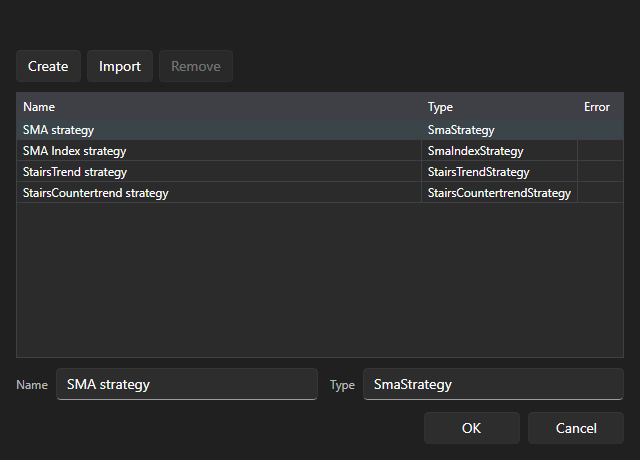
The strategy appears in the Strategies table, and its parameters appear on the Strategy panel on the left. Fill in the Security, Portfolio, volume and the parameters of the strategy itself, and then click Start.
While there is no connection, the add and start buttons in this area are unavailable — the hint under the table says so.
Strategy on history
The same on the Emulation tab starts the strategy not in trading but on historical data.

No connection is needed for this: each run reads the history from the disk through its own emulation connector.