
Run strategies from Designer
Shell can run strategies built in Designer and exported via Export. No code needs to be written for this: the scheme is executed by the same engine as in Designer.
Import
Open the Real-time or Emulation area, click Add and, in the window that opens, Import.
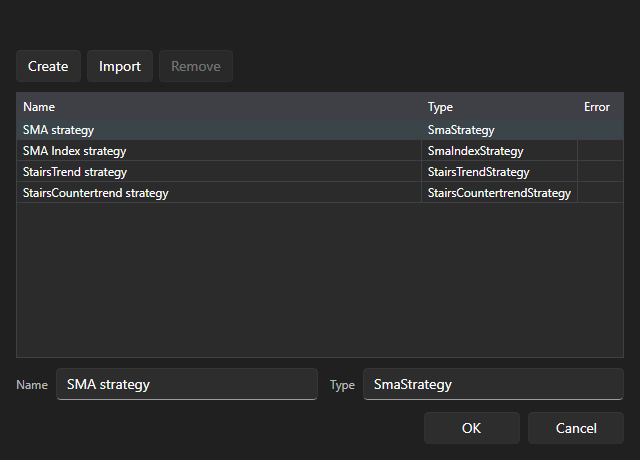
Select the file of a scheme exported from Designer. It appears in the list next to the bundled strategies, under the name it had in Designer. Next to the list, the result of the import is shown: the scheme is imported, the import is canceled, or the import has failed, with the reason.
The imported schemes are saved in the Data folder next to the application and remain in the list after a restart.
Launch
Then the scheme is used the same way as a bundled strategy: select it, click OK, fill in the instrument, portfolio, volume and scheme parameters on the Strategy panel and click Start.
In the Emulation area, the scheme is run on history and gives the same statistics, chart and lists of orders and trades as any other strategy.