
Symbol mapping
The same instrument in different trading systems can be called differently, and its data and orders can go through different connections. For this, Designer has three windows.
Codes mapping
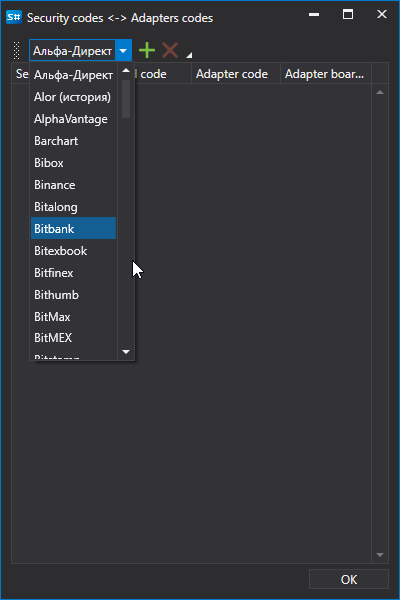
The Codes mapping button on the market data panel opens the Security codes <-> Adapters codes window. The list above the table selects a connection, the  button adds a row, and the delete button removes the selected one. The Security code and Board Code columns specify the instrument as it is named in Designer, and the Adapter code and Adapter board code columns specify how the selected connection names it.
Securities and connections
The Securities and connections item of the drop-down list of the Connect button on the Common tab opens a window in which, for an instrument and a data type, you select the connection through which this data is received. The Add button adds a row in which the Security, Data Type and Connection columns are filled in; the Delete button removes the selected row.
Portfolios and connections
The Portfolios and connections item of the same list opens the same kind of window for portfolios: the Portfolio column specifies the portfolio, and the Connection column specifies the connection through which orders for it are sent.
In Terminal, both windows are opened from the Settings menu of the main menu.