Download market-data
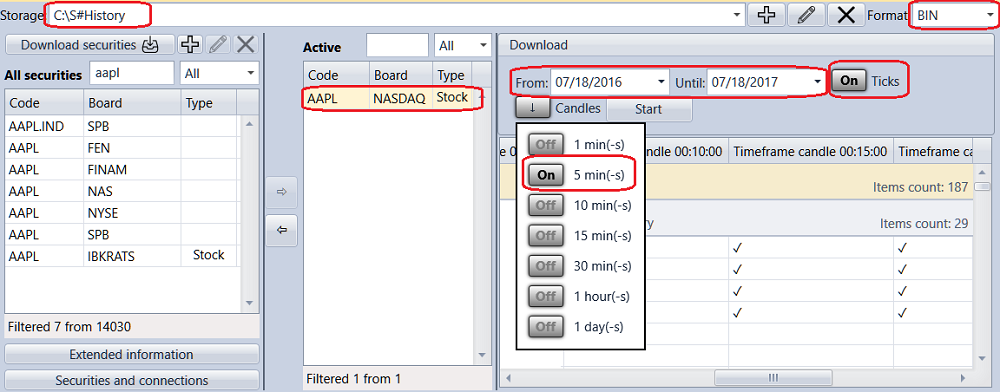
To get the historical data for the security, select the required security from the All securities list, move it to the Active securities list. Set the historical data period, select type and Time Frame for candles and click the Start button. All data will be saved in the Market data storage.
When the download is finished, its result appears next to the Start button: Done, Operation canceled or Failed with the reason of the error.