Brute-force
To switch to strategy optimization mode, on the Backtest tab open the Open drop-down list and select Optimization. The optimization example will be considered using the SMA strategy created from cubes.

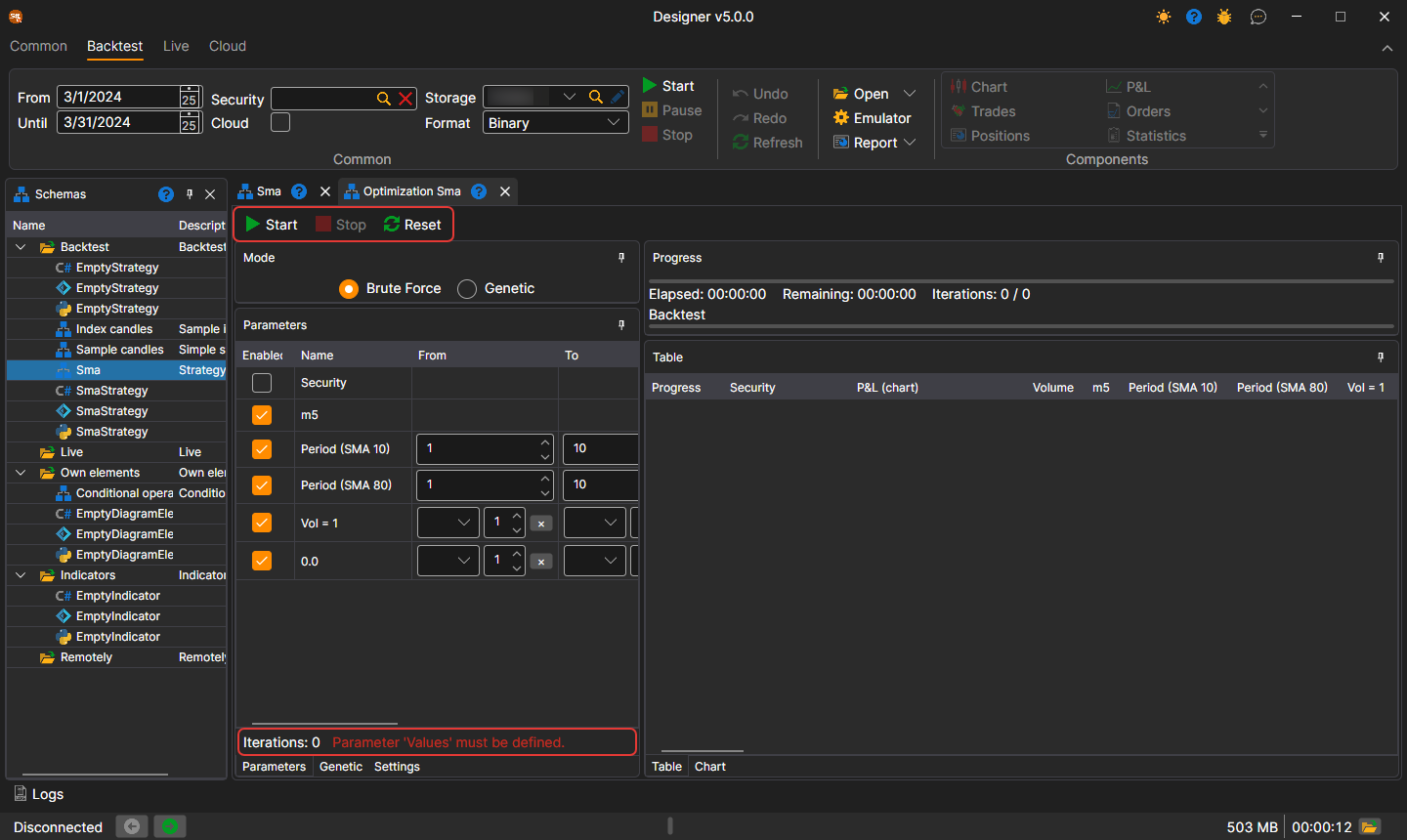
A tab named Optimization + 'Strategy Name' will open in the workspace. The Optimization tab is divided into two areas: on the left — what and how to optimize, on the right — the optimization result:

- At the top left is Mode: Brute Force or Genetic. Below it are the tabs: Parameters — the strategy parameters, which are iterated over; Genetic — settings for genetics; Settings — settings of the emulation and of the optimizer itself, for example how many runs to execute simultaneously (Parallel) and how many iterations are allowed (Iterations).
- On the right is Progress: how much time has elapsed, approximately how much is left, and how many iterations have been completed out of those planned. Below it are the Table tab, each row of which is the result of testing the strategy with unique parameters, and the Chart tab for displaying the results in the form of a 3D chart.
Setting the parameters for iteration results in more than 1000 iterations. After starting the optimizer, the progress at the top above the results will show data on the planned number of iterations, how many have already been completed, and how much time is approximately needed until completion:

Parameter table and panel buttons
In the parameter table, each row shows how many values it gives with the specified From, To and Step (the Count column) and what is wrong in the row (the Error column) — for example, a step at which the iteration does not reach the upper bound. Below the table is the number of runs the iteration of all parameters together gives, and the first error, if there is one.
The Start, Stop and Reset buttons are located right on the optimizer panel, and below them is the progress bar of the current run. The results table has a Security column: the instrument the run was made on.