
Interactive Brokers
Interactive Brokers - trading platform to trade financial assets including stocks, options, futures, EFPs, futures options, forex, bonds, and funds.
Before writing trading robots for this trading platform, read the links in Connectors.
TWS Interactive Brokers Configuration
You must allow connections from other programs (such as the trading algorithm on S#). To do this, open the settings menu "File -> Global configuration...". Select "Configuration -> API -> Settings" in the new window:
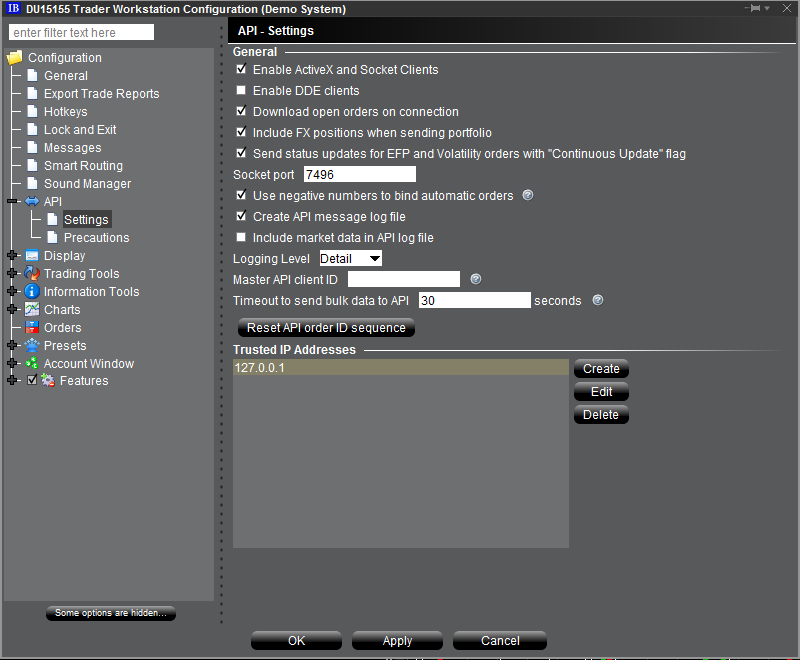
Turn on "Enable ActiveX and Socket Clients" mode.
Also add the address of the computer that will run the algorithm (local address: 127.0.0.1). This eliminates the need to confirm the terminal connection permission each time you start the algorithm.