
Licenses
The Licenses page is opened with the tab of the same name at the top of the Installer window and is available after signing in to the account.
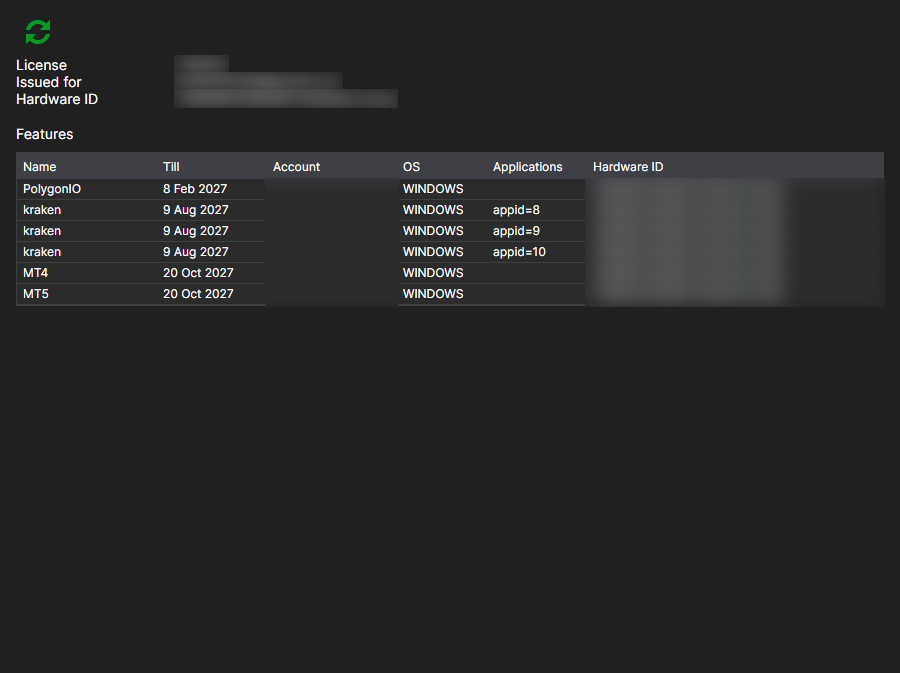
Here you can see which license has been issued to this account and what it entitles you to.
- Issued for — who the license is issued to and which computer it is bound to: Hardware ID and OS. By this binding, the server decides whether the license is valid on the current machine.
- Till — the expiration date.
- Applications — the programs the license covers.
- Features — what exactly is allowed: connections to venues, the number of instruments, access to the source code and so on.
The Refresh license button requests the data from the server again. It makes sense to click it after a purchase or a renewal: Installer reads the license when you sign in, and a change made on the website later does not appear in the window by itself.
If there is no license, the page says so. You can get one on the Subscription plans page.