External DLLs
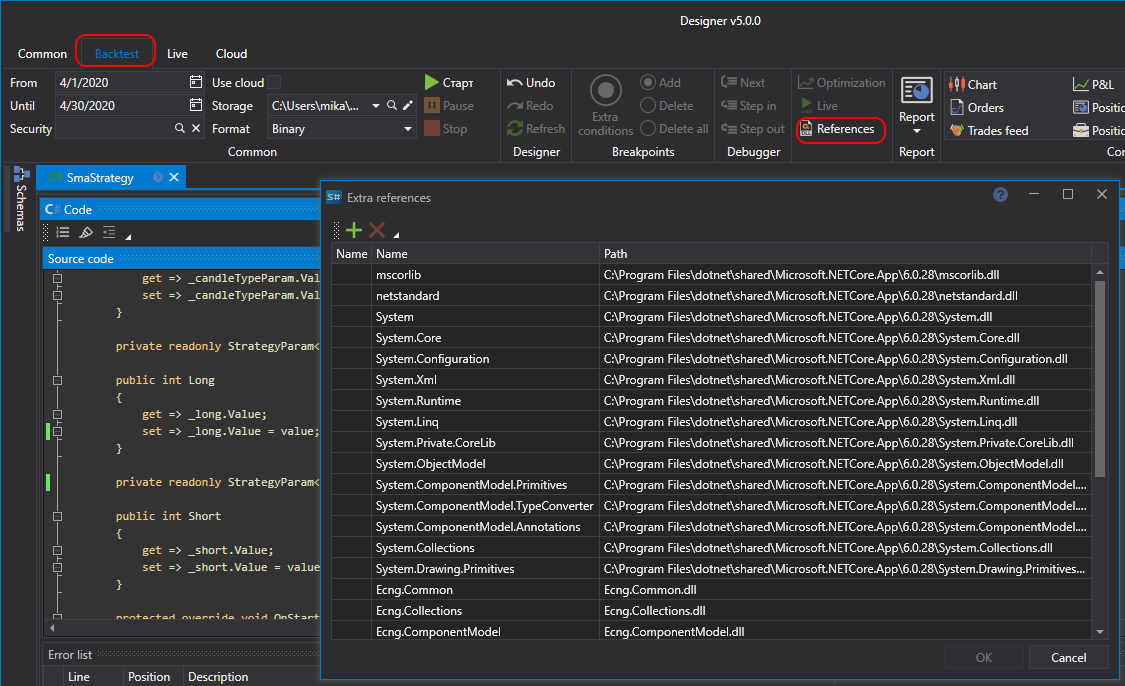
When creating content from Source Code, along with API libraries, you can use other C# libraries, including your own. These libraries must be compatible with .NET 10. To add a reference to a library, you need to click on the References button on the code panel. After that, the Extra references window will open, where you can add or remove the necessary libraries:
- Assembly - add a reference to a library file;
- Project - add a reference to your own code or an indicator created in Designer;
- Delete - delete the selected reference.
The reference table shows the name, path and status of each reference, and the Search line above it finds a reference in a long list. If a reference cannot be added, the reason is shown in red under the table.