
Strategies dashboard
Clicking the Panel  button on the Live tab opens the Live panel.
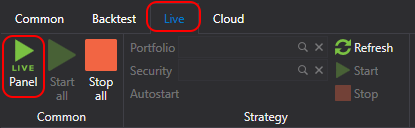
The Live panel is a table, displaying all strategies added to the Live. On the Live panel, you can view the current state of the strategy, and run or stop the strategy using the  ,
 buttons.
Above the table there are the Start all and Stop all buttons, which start and stop all strategies of the table at once, and the Settings button of the selected strategy: it opens the window of its remote control settings, the same one that the settings button in the strategy row opens.
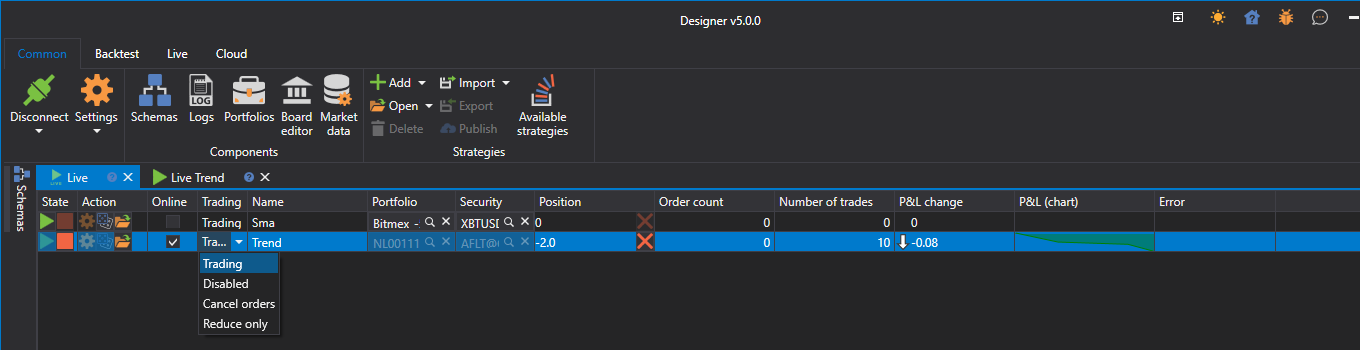
- The first column is responsible for starting/stopping the strategy.
- The second column is for strategy settings.
- Online indicates whether all strategy indicators are formed and all subscriptions have transitioned to an Online state.
- Trading allows you to change available operations. For example, prohibit opening new positions or increasing existing ones.
- Position shows the current position for the strategy's instrument. Clicking the cross button will close the position.
- The other columns display the current trading statistics of the strategy.
Double-clicking on a selected row will open the panel with the strategy.