Informações alargadas do instrumento
As fontes de informações alargadas são ficheiros CSV localizados na pasta c:\\Users\\Users\\Documents\\StockSharp\\Hydra\\Extended info\\. São carregados automaticamente quando o Hydra inicia.
As informações alargadas podem incluir quaisquer detalhes adicionais sobre um instrumento (por exemplo, país, cidade, mercado, etc.).
Cada fonte de informações alargadas (ficheiro CSV) contém uma lista de instrumentos e as propriedades disponíveis. Para cada fonte, as informações alargadas são únicas.
Se a fonte não contiver informações alargadas para um instrumento, as colunas correspondentes na lista de instrumentos ficarão vazias.
Para selecionar as informações alargadas necessárias, deve:
- No separador Instrumentos, clique no botão Informação alargada
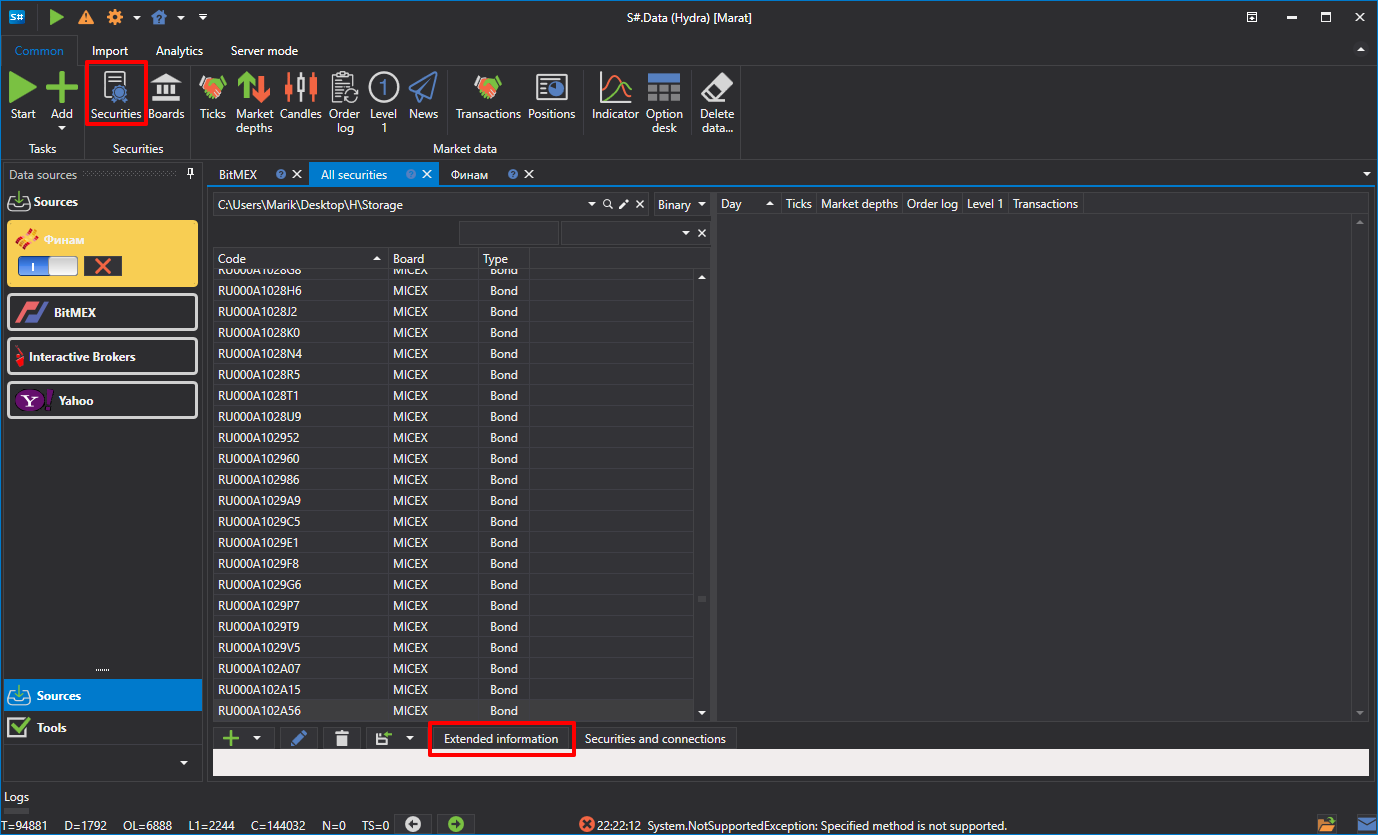
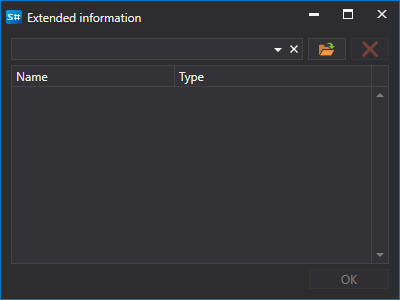
- Aparecerá uma janela na qual deve selecionar o caminho para o ficheiro CSV necessário
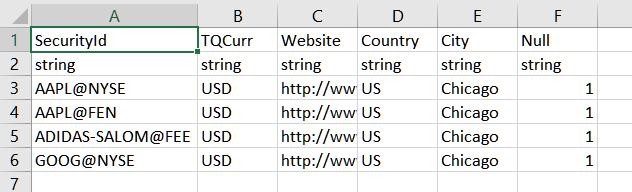
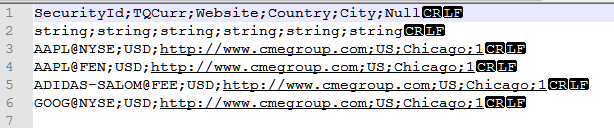
Abaixo está um exemplo de um ficheiro CSV de informações alargadas aberto em diferentes editores: MS Excel e Notepad.