
Restablecer configuración
Caution
Antes de restablecer la configuración, lea atentamente esta sección.
El Panel de acceso rápido se encuentra de forma predeterminada en la parte superior de la ventana del programa y contiene el botón de configuración  . Al hacer clic en , puede cambiar el modo de inicio, cambiar el idioma de la interfaz o restablecer todos los ajustes.
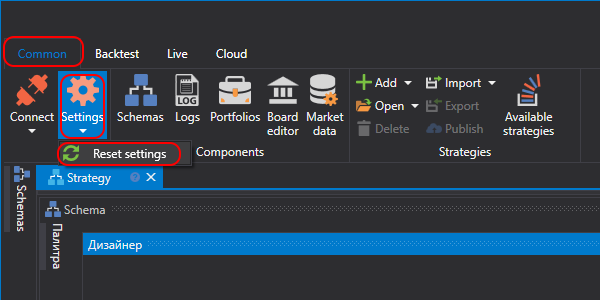
Al seleccionar Restablecer configuración, se abre una ventana de confirmación.
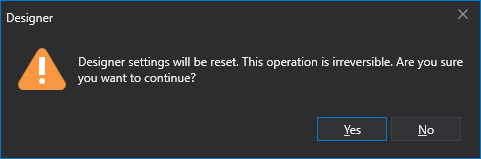
Después de hacer clic en Aceptar, todos los ajustes se restablecen a sus valores predeterminados. El directorio de configuración del programa se limpia por completo. Todas las estrategias creadas, instrumentos descargados y demás información almacenada en el directorio de configuración se eliminarán.